
ad
ad
Music player Icon

Music player

recorder & smart apps
Trustable Ranking IconTrusted
Downloads100M+
Rating4.78
Size33.5MB
AgeAge ratingPEGI-3
Android Version5.1+
Download logoDownloadwith Aptoide
ad
Music player screenshot 0Music player screenshot 1Music player screenshot 2Music player screenshot 3Music player screenshot 4Music player screenshot 5Music player screenshot 6Music player screenshot 7
ad
DetailsReviewsVersionsInfo
ad

Description of Music player

Music Player is a versatile application designed for mobile devices that allows users to play and manage their music collections efficiently. This app, often referred to as an mp3 player, excels in supporting various audio formats, such as mp3, flac, and ogg. Users looking for a reliable music player can download Music Player on the Android platform to enjoy a comprehensive listening experience.


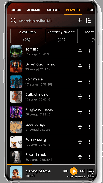
Upon installation, Music Player automatically scans the device for music files, organizing them into convenient categories like song title, artist, and album. This feature simplifies the process of locating specific tracks, making it user-friendly for those with extensive music libraries. The app’s interface is designed for easy navigation, allowing users to quickly find and play their favorite songs.


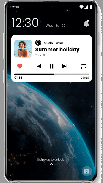
The application supports offline playback, enabling users to listen to their music without an internet connection. This functionality is essential for those who want to enjoy their tunes while on the go or in places where connectivity might be limited. Music Player also offers a mini music player that appears on the lock screen and status bar, providing essential controls and album artwork without needing to navigate back to the app.


In terms of playback options, Music Player includes a range of controls that enhance the listening experience. Users can play, pause, skip, and rewind songs seamlessly. The app provides a playing queue, allowing users to manage their listening order effectively. Features such as fast forward and previous track options ensure that users have complete control over their music playback.


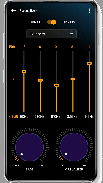
Music Player includes a built-in equalizer that allows users to customize the audio output according to their preferences. This feature offers various presets and manual adjustments, enabling users to enhance their music experience based on their individual tastes. The app also supports headphone and Bluetooth functionality, allowing users to control playback through their devices’ buttons, making it convenient for those who use wireless headphones.


The application facilitates playlist management, giving users the ability to create, update, and delete playlists with ease. Users can add songs, albums, and artists to their playlists, as well as manage recent playlists for quick access to frequently played tracks. The ability to categorize music by genre further enhances the organization of music collections.


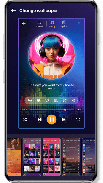
For users interested in personalizing their experience, Music Player allows for theme customization, letting individuals change the app's appearance to suit their style. Additionally, the app supports music sharing, enabling users to share their favorite tracks with friends and family through various platforms.


Another noteworthy feature is the app's capability to edit music information. Users can modify song titles, album names, and artist names directly within the app. This functionality is particularly useful for those who want to organize their music library more effectively. The ringtone maker feature also allows users to set any song as their ringtone, adding a personal touch to their mobile experience.


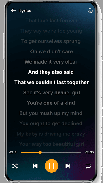
Music Player supports various visual elements, displaying album artwork, artist photos, and cover images during playback. This feature enhances the overall aesthetic of the app, providing users with a visually appealing listening experience. The app's search functionality allows users to quickly locate music by inputting titles, albums, or artist names, streamlining the process of finding specific songs in large collections.


The app's design prioritizes user experience, ensuring that all features are easily accessible and intuitive. The combination of a powerful media player and an organized music library makes Music Player a standout choice for those seeking a reliable music application. Its ability to manage and play a wide range of audio formats ensures compatibility with various music files, making it a versatile tool for music lovers.


For anyone looking to enhance their music listening experience, Music Player offers a comprehensive set of features that cater to diverse needs. With its offline capabilities, customizable audio settings, and user-friendly interface, the app stands out as a preferred choice for music enthusiasts. Users can enjoy high-quality sound and efficient music management, making Music Player a valuable addition to any Android device.


The combination of organization, playback controls, and personalization options makes Music Player an essential application for anyone who enjoys listening to music on their mobile device. Whether you are a casual listener or a dedicated music fan, downloading Music Player can significantly improve how you manage and enjoy your music collection.

Music player - Version 246.02

(13-06-2026)
Other versions

What's newBug fixes and stability improvements
ad
ad
ad
ad
Aptoide home page
Aptoide is the fastest growing app store and distribution platform in the world. We are a global platform for global talent. Do you want the world?
Englisharrow icon
facebook Social Icon
x Social Icon
instagram Social Icon
youtube Social Icon
linkedin Social Icon
tiktok Social Icon
discord Social Icon
©2026 APTOIDE.COM. All rights reserved